On launch day your product gets one line of text, one small image and a few seconds of someone’s attention. Most of the work you did over the last six months is invisible at that moment. What people see is a name, a tagline and a screenshot in a list of twenty other products, and they decide whether to click before they have read a full sentence.
That makes the listing the highest-leverage thing you will write all week. A product that is twice as good with a vague tagline loses to an ordinary product that says exactly who it is for. The good news is that a clear listing is a skill, not a talent, and it takes an afternoon.
This guide goes through every part of a launch listing in the order people read it, with the limits we use on LarkLaunch, formulas you can fill in, and one listing rewritten from start to finish.
People scan, then decide
Nobody reads a leaderboard. They run their eyes down it looking for something that is about them: their job, their problem, their stack. A listing earns a click when it passes a three-part test in that scan:
- Can I tell what it is? A category people already know: an invoicing tool, a screen recorder, a CRM.
- Is it for someone like me? A named group of people, not “teams” or “everyone”.
- Why would I care? One concrete result: hours saved, a step removed, money collected sooner.
Every part of the listing has a job in that test. The name and tagline answer the first two, the screenshot proves the third, and the description and maker comment are for the people who already clicked and are deciding whether to try it.
The parts of a listing
| Part | Its one job | On LarkLaunch | The test |
|---|---|---|---|
| Name | Be remembered and found again | Up to 40 characters | Could someone search for it tomorrow? |
| Tagline | Say what it is and who it is for | Up to 60 characters | Would a stranger repeat it back correctly? |
| First screenshot | Show the product doing its main job | Required | Is the result visible without reading? |
| Description | Answer the questions that stop a sign-up | Up to 5,000 characters | Does it say what it costs and who it is not for? |
| Maker comment | Show there is a person behind it | Up to 280 characters | Does it ask for something specific? |
The name: say it, then explain it
You probably have a name already, and it is probably fine. Names rarely make a launch; unclear names sometimes break one. Two checks are worth doing:
- Can people spell it after hearing it? If someone mentions it in a call, the listener should find it with one search. Swapped letters and missing vowels cost you every word-of-mouth visit.
- Is it the same everywhere? The listing, the website title, the logo and the domain should match, so a visitor who clicks through knows they landed in the right place.
Do not put the description in the name (“Inkwell – AI Invoicing for Freelancers”). That is what the tagline is for, and a stuffed name looks like an ad in a list of products.
The tagline: who it is for and what changes
The tagline does more work than anything else on the page, and 60 characters is less room than it sounds. A shape that works for almost every product:
[What it is] for [who] that [the result they get]
You will rarely fit all three in 60 characters, so drop the weakest part. If the category is obvious from the result, drop the category. If the audience is obvious from the category, drop the audience. Never drop the result.
Taglines that lose the click
- “The future of invoicing.” Says nothing about who it is for or what happens.
- “An AI-powered all-in-one platform for modern teams.” Four buzzwords, no category, no person.
- “Finally, invoicing that doesn’t suck.” Funny once. It tells the reader how you feel, not what they get.
Taglines that earn it
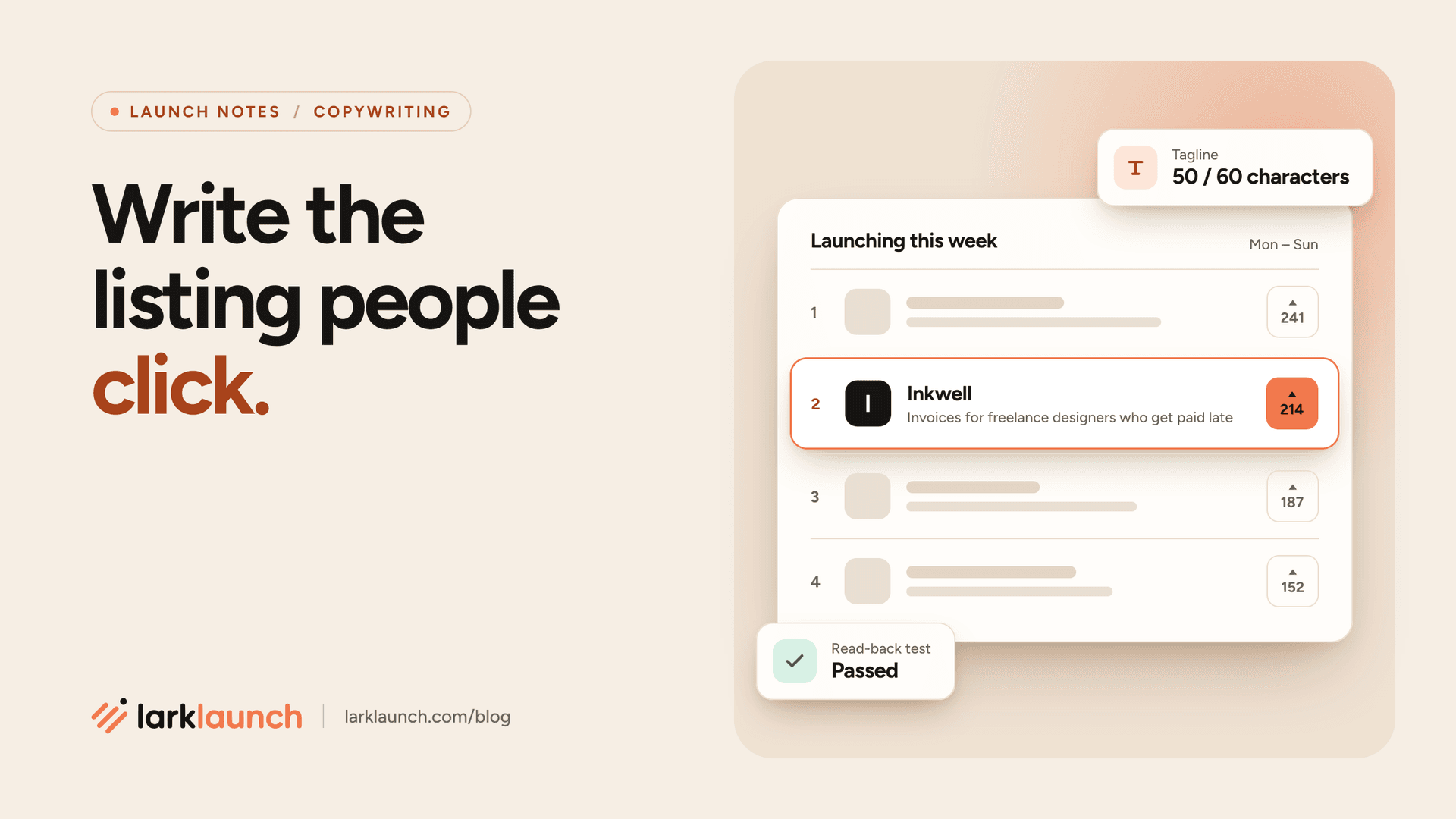
- “Invoices for freelance designers who get paid late” (50 characters). Category, person and problem.
- “Get paid in half the time, without chasing clients” (50 characters). The result, with the pain removed.
- “Turn a Figma file into a client invoice in a minute” (51 characters). The workflow, made concrete.
The first screenshot is your real headline
Most people never read the description. They read the tagline, look at the first image and decide. So the first screenshot is not decoration: it is the proof that the tagline is true.
- Show the result, not the settings page. For an invoicing tool that is a sent invoice with a “Paid” stamp, not the account screen.
- Use real-looking data. “Lorem ipsum” and “Test User 1” make a product look unfinished. Invent a believable customer and fill the screen with their work.
- Crop to the part that matters. A full-browser screenshot shrinks to a blur in a list. Crop to the one panel that shows the result, and make sure the text is readable at thumbnail size.
- Add one short label if it helps. “Reminders go out on their own” above the reminders panel is fine. Five arrows and a paragraph is a slide, not a screenshot.
Order the rest of the images the way you would demo the product: the result first, then the two or three steps that get you there, then anything else. A short video helps if it shows the product working in the first five seconds; skip the logo animation.
The description: answer the next five questions
The people who read the description have already decided they are curious. They are now looking for a reason to say no, so the description’s job is to answer their questions before they leave to go and find the answers elsewhere. In order, those questions are almost always:
- What problem does this solve, in words I would use?
- What exactly does it do? Three things, not twenty.
- Is it for someone like me, and who is it not for?
- What does it cost, and what is free?
- Who made it, and will it still be here next year?
Here is a template that answers them in that order. Keep each part short; a description that fits on one screen gets read.
[One sentence on the problem, in your customer's words.]

[Product] [does the main job] so you can [result].

• [Feature 1, written as what the user gets]
• [Feature 2]
• [Feature 3]

Made for [specific group]. Not a fit if you [who should look elsewhere].

[Free plan / trial / price]. [What happens to their data if they leave.]

Built by [who you are, one line]. [What's coming next, one line.]
Saying who it is not for feels risky, but it is one of the most persuasive lines you can write. It tells the right people you understand their situation, and it saves you support emails from the wrong ones.
The maker comment: why you built it
On LarkLaunch you can write the first comment on your own launch when you submit it, and it is posted as soon as the launch is saved. Visitors trust a launch with a founder in the thread, and the first comment sets the tone for everything after it.
You have 280 characters, so skip the feature list (it is already in the description). Say why you built it, and ask for one specific kind of feedback. Specific questions get answers; “Let me know what you think!” gets silence.
I built [product] after [the moment the problem hit you]. It [the one result] for [who].

I'd love feedback on [one specific thing: the onboarding, the pricing, a feature you're unsure about]. I'll reply to everyone today.
Then keep that promise: reply to every comment, including the critical ones, on the day they arrive. A thoughtful answer to a sceptic convinces the dozens of people reading the thread silently.
One listing, before and after
Here is a made-up invoicing tool for freelancers, as many founders would first write it and after the changes above.
| Part | Before | After |
|---|---|---|
| Tagline | The smart way to manage your billing workflow | Invoices for freelance designers who get paid late |
| First image | Logo on a gradient with “Billing, reimagined” | A sent invoice marked Paid, with the reminder that did it |
| Description opens with | “Inkwell is an innovative, AI-powered platform…” | “Chasing a client for money you’ve already earned is the worst part of freelancing.” |
| Price | Not mentioned | Free for your first five clients, then $9 a month |
| Maker comment | “Excited to launch! Let me know what you think 🚀” | “I built this after waiting 94 days for one invoice. Is the reminder wording too pushy? I’ll reply to everyone today.” |
Nothing about the product changed. Every edit makes it easier for the right person to recognise themselves, and harder for anyone to misunderstand what they would get.
Where the click lands
A great listing that sends people to a confusing homepage wastes the click. Before launch day, open your site as if you had just read your own tagline and check that the first screen says the same thing in the same words. If the listing promises “invoices for freelance designers” and the homepage says “financial operations for the modern workforce”, people assume they clicked the wrong link.
Two quick checks help here. The meta tag generator shows how your page looks when the link is shared on X, LinkedIn and Slack, which is where many launch-week visitors will first see it. And the UTM builder tags the link on each listing, so you can see which directories actually send sign-ups and not just visits.
Mistakes that cost the click
- Describing the technology instead of the result. “Built on GPT” is how it works. People click for what it does for them.
- Writing for everyone. A tagline that fits every product on the leaderboard fits none of them.
- A first image of your logo. People know what logos look like. Show them the product.
- Hiding the price. “Contact us” on a small tool reads as “expensive”. If there is a free plan, say so in the description.
- Launching and leaving. A listing with unanswered questions in the comments looks abandoned by lunchtime.
The checklist
Write
- Name matches the site, logo and domain
- Tagline names a person and a result
- Tagline passes the read-back test
- Description answers the five questions
- Price and free plan stated plainly
Show
- First screenshot shows the result
- Real-looking data, readable when small
- Maker comment asks one specific question
- Homepage says what the tagline says
- Link preview and tagged links checked
Questions founders ask
Should the tagline be clever or clear?
Clear, every time. A clever line works on a billboard people see twenty times. In a list they see once, the reader has to understand it on the first pass or they scroll on.
Can I use the same listing on every directory?
Use the same name, tagline and first image everywhere, so people who see you twice recognise you. Adjust the description for each audience: more technical on developer sites, more outcome-focused on general ones.
Should I mention AI?
Only if it changes what the user gets. “Writes the follow-up email for you” is a result; “AI-powered” is a label. Lead with the result and let the AI be how it works.
Can I edit the listing after it goes live?
Yes. On LarkLaunch you can edit your product from your profile while you are logged in. If the first day’s comments show people misunderstanding the product, rewrite the tagline that same day.
Listing written? Put it in front of people
Launching on LarkLaunch is free. Every product is reviewed by hand, gets a full Monday to Sunday week on the leaderboard and keeps a permanent page with a dofollow link. For the rest of the week, see how to plan a launch week.
Launch your product